
It is possible for your website to have good content and still fail to rank well on search engine results pages because of technical problems such as coding errors, poor page structure, indexing problems, improper content optimization, and more. This is where an SEO audit service becomes important.
With an SEO audit, you have a systematic way of analyzing your site, discovering any issues, and learning what needs to be done. Whether you are running a new site or want to improve an existing one, the audit can prove very useful.
SEO audits evaluate the overall technical functionality of a website, as well as the website’s content and its on-page SEO performance. By assessing all of these factors, you can discover potential issues and plan further action accordingly.
What Is an SEO Audit?
An SEO audit can be defined as an in-depth analysis of a website in order to identify problems that could affect the website’s visibility, crawling, indexing, and other features.
In essence, it poses one important question: what does auditing do?
A complete audit normally looks at several areas, including:
- Technical SEO and crawlability
- Indexing and website accessibility
- On-page SEO
- Content quality and relevance
- Internal linking
- Mobile experience
- Page experience and performance
- Search performance and ranking data
This does not involve looking at a single measure or tool. Rather, the audit combines different findings in order to build a comprehensive understanding of the site.
Why Are SEO Auditing Services Important?
SEO audit services allow businesses to see what issues might be encountered before they become serious barriers to organic growth. If we define auditing as a structured process of reviewing a website, an audit also helps to uncover potential opportunities that are not easy to spot on a per-page basis.
For instance, a website might be suffering from problems like poorly indexed pages, outdated information, broken internal links, poor title tags, or other issues that make some critical pages unreachable.
A useful audit should help you answer:
- Are important pages accessible to search engines?
- Can search engines crawl and index the website correctly?
- Does each important page target a clear search intent?
- Are titles, headings, links, and content properly optimized?
- Are technical or performance issues affecting users?
- Which pages and queries are already generating search visibility?
According to Google, you should not only consider the value and relevance of your content but also check the technical requirements and Search Essentials.
How to Do a Website Audit Step by Step
A website audit means checking a website for issues and improvements, and it should follow a process in order to make things easier rather than analyzing issues haphazardly. These SEO audit processes can be used as a useful starting point.
1. Check Crawling and Indexing
First, see whether search engines can reach the relevant pages.
Review:
- Robots.txt restrictions
- Noindex directives
- XML sitemap setup
- Important page accessibility
- Indexing issues in Search Console
- Canonicalization problems
It is impossible for a page to rank organically if it is not properly indexed by the search engines. Google Search Console allows you to check whether the site can be indexed by Google.
2. Review Technical SEO
Technical auditing covers the areas of a website that deal with crawling, indexing, accessibility, and performance.
Look for:
- Broken pages and links
- Redirect issues
- Duplicate URLs
- Incorrect canonical tags
- HTTPS problems
- Poor site architecture
- Mobile usability issues
- Slow or unstable pages
It should be noted that technical SEO is not about fixing every warning identified by a tool audit. Attention should be paid to problems that affect significant pages and the user experience.
3. Check On-Page SEO
After that, move on to see how individual pages are optimized for their topic keywords.
Check whether pages have:
- Clear and relevant title tags
- Useful meta descriptions
- One clear main heading
- A logical heading structure
- Descriptive URLs
- Relevant internal links
- Helpful and original content
- Natural use of target terms
Do not try to insert key phrases into every heading and paragraph. SEO writing should respond to the question the reader is asking.
4. Audit Your Content
A blog content audit will help you determine what content needs improvement, updating, combination, or deletion.
Look for pages that are:
- Outdated
- Thin or incomplete
- Repetitive
- Targeting the wrong search intent
- Competing with another page on the same topic
- Receiving impressions but few clicks
- No longer useful to your audience
Search Console reveals which keywords and pages receive clicks and impressions, making it a handy tool for discovering content possibilities.
Rather than updating all pages simultaneously, focus on the pages that already have search presence or cover relevant business topics.
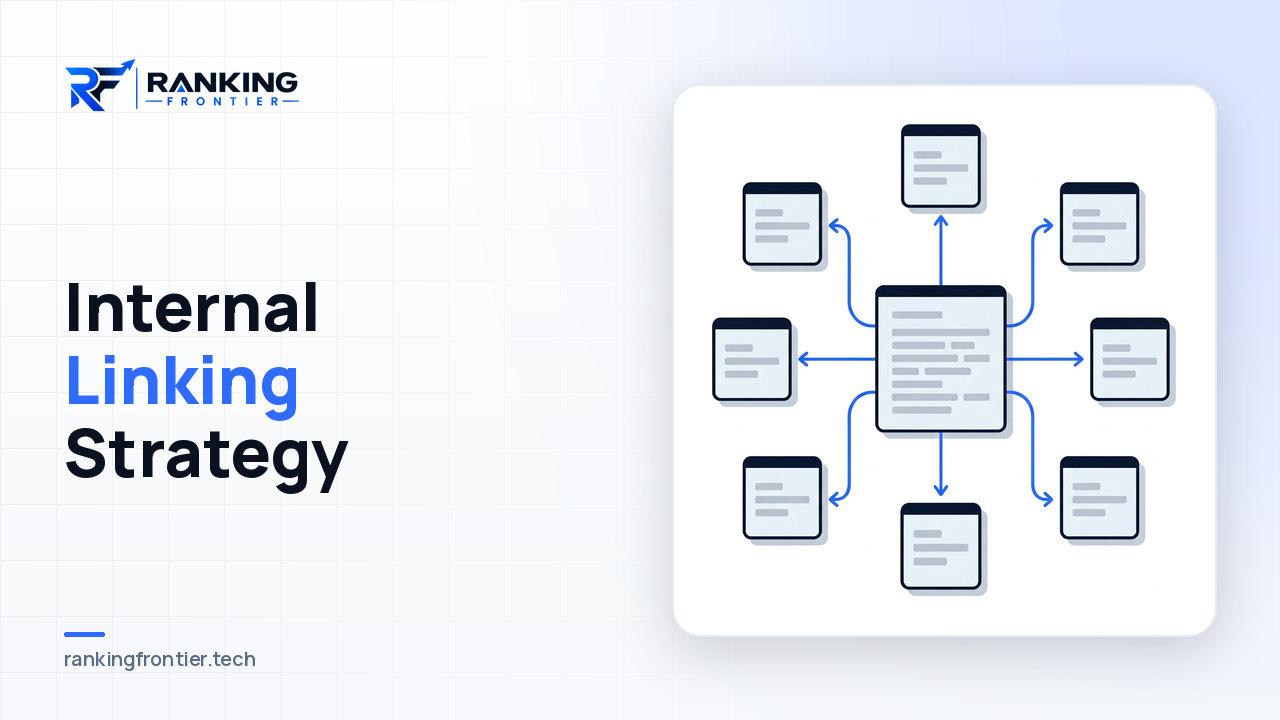
5. Review Internal Links
Internal linking allows users and search engines to navigate through your website and establishes relationships between different pages.
Make sure that the important pages are properly linked internally from other relevant pages. At the same time, check for broken links and orphan pages.
For instance, a blog post about SEO could link to a service page about an SEO audit, where an audit analyst provides relevant insights, rather than inserting an irrelevant keyword link.
6. Check Mobile Experience and Page Performance
Your website should provide a good user experience on all devices. Analyze the performance of your website on mobile devices.
Google’s page experience advice recommends looking into Core Web Vitals, HTTPS, mobile display, intrusive interstitials, and other components of the user experience as a whole. Good Core Web Vitals, however, are not enough on their own to ensure good rankings, according to Google.
A perfect tool score should never be considered the ultimate goal of a technical audit. Focus on the actual user experience of your website.
7. Analyze Search Performance
The audit process must also be guided by actual search data, not rely entirely on third-party tools.
Google Search Console provides data such as:
- Clicks
- Impressions
- CTR
- Average position
- Search queries
- Top-performing pages
For instance, if a page has many impressions but a low CTR, the title could be improved, or better search result messaging could be used. The same applies to pages that have lost impressions.
What Are the Most Common SEO Audit Errors?
There are certain SEO mistakes that tend to arise over and over again during website audits. These problems include:
Indexing problems
Important pages might be blocked from search engines or might have been unintentionally overlooked during indexing. Improper SEO settings can be another reason why these pages are not crawled and indexed.
Broken links
Broken links within the site are frustrating for visitors and can affect navigation. They may keep users from accessing relevant information or pages.
Duplicate content
This may leave search engines unable to understand which URL should be listed in the search results. Similar or duplicate pages can therefore hinder ranking for a particular topic.
Weak page titles
An unclear or generic title does not help users understand the page content. It is better to use a specific title that tells users what the page is about.
Poor internal linking
Pages that are very important can suffer from having too few relevant links within the website pointing to them.
Content gaps
A page can address a particular topic yet lack the information needed to answer users’ questions. This is likely to decrease the usefulness of the content and its relevance.
Mobile issues
There may be challenges with viewing the content, navigating, or using the layout of the site on a smaller screen.
Performance problems
Slow or erratic pages hinder the user’s ability to navigate the site efficiently. The frustration will make them exit the site.
Poor search intent alignment
A page may focus on a particular keyword but fail to deliver the kind of information that the people searching for that keyword need.
An audit is not meant to produce an exhaustive list of mistakes. It is about knowing which problems are more important and deciding how to prioritize their solutions.
Which SEO Audit Tools Can You Use?
Since various audit tools play different roles, it is not necessary to rely on one platform alone. For example, an SEO audit example may involve using different tools to check different aspects of a website.
Useful options include:
| Tool | What It Helps You Check |
|---|---|
| Google Search Console | Search visibility, indexing, queries, pages, clicks, and impressions |
| Google Analytics | Website traffic and user behavior analysis |
| Lighthouse | Performance and page-experience-related checks |
| Crawling tools | Large-scale checks for links, redirects, metadata, and technical issues |
| SEO platforms | Keyword, backlink, competitor, and broader site-audit analysis |
Google also suggests using tools like Lighthouse to improve page experience and mobile usability.
So what is auditing in practice? The most effective way of auditing combines the data gathered from the tools with a manual check. A tool can highlight a problem, but you have to determine how relevant that problem really is.
How Often Should You Perform an SEO Audit?
Not all websites can follow the same schedule, because the right schedule for SEO audit companies depends on the size of the website and how often content is being published.
A useful approach is to:
- Run a deeper audit periodically.
- Monitor important technical issues regularly.
- Review Search Console performance for significant changes.
- Recheck the website after major migrations or redesigns.
- Audit important content when performance drops or search intent changes.
Regular monitoring makes it possible to detect changes before your organic performance starts deteriorating.
How Ranking Frontier Can Help With SEO Auditing
Ranking Frontier helps companies enhance their search engine visibility using practical SEO, keyword, and backlinking techniques. It does this by concentrating on identifying SEO opportunities and then turning them into practical actions.
SEO and Keyword Strategy
Ranking Frontier is dedicated to SEO and keyword strategy for improving the organic SEO performance of businesses. An SEO strategy enables the identification of the appropriate keywords, the identification of search opportunities, and improved visibility in the search results.
Understanding Website Issues
SEO auditing helps build a better understanding of what is impacting the performance of the website. This can include technical problems, missing content, poor internal linking, problems with keyword research, and more.
Turning Findings Into Actions
An SEO audit is not expected to conclude with a list of problems. The findings help determine what the next move will be, for example improving content, working on keywords, or strengthening link building, among other things.
Conclusion
An SEO audit helps identify the elements that work for the site and those that do not. The following points should be considered while conducting an SEO audit: technical SEO, indexing, on-page elements, content, internal linking, page experience, and search performance. If you want some extra assistance with SEO, exploring our blog is a good next step for more ideas, practical tips, and insights to support your website growth.
Begin with the problems that may affect your most important web pages the most, and then move on to other, smaller improvements. After making your improvements, keep monitoring your site’s search engine performance.
Want to boost your website’s search rankings? Contact us to learn how you can meet your search engine optimization goals.
FAQs
What is an SEO audit?
An SEO audit is an analysis of various aspects of a website, including its technical configuration, content, on-page SEO optimization, indexing, and its performance in search engines.
What does an SEO audit check?
SEO auditing involves testing crawling issues, indexing problems, technical SEO, content, title tags, headings, internal linking, mobile usability, performance, and Search Console data.
How do I perform a website audit?
Start with crawling and indexing, then check technical SEO, on-page SEO, content, internal links, mobile usability, speed, and search analytics. Finally, fix the identified issues.